Deep Work for Developers: How to Get 4 Hours of Real Focus Every Day
Most developers get less than 2 hours of deep work per day. Here's a practical system to double that without burning out or ignoring Slack.
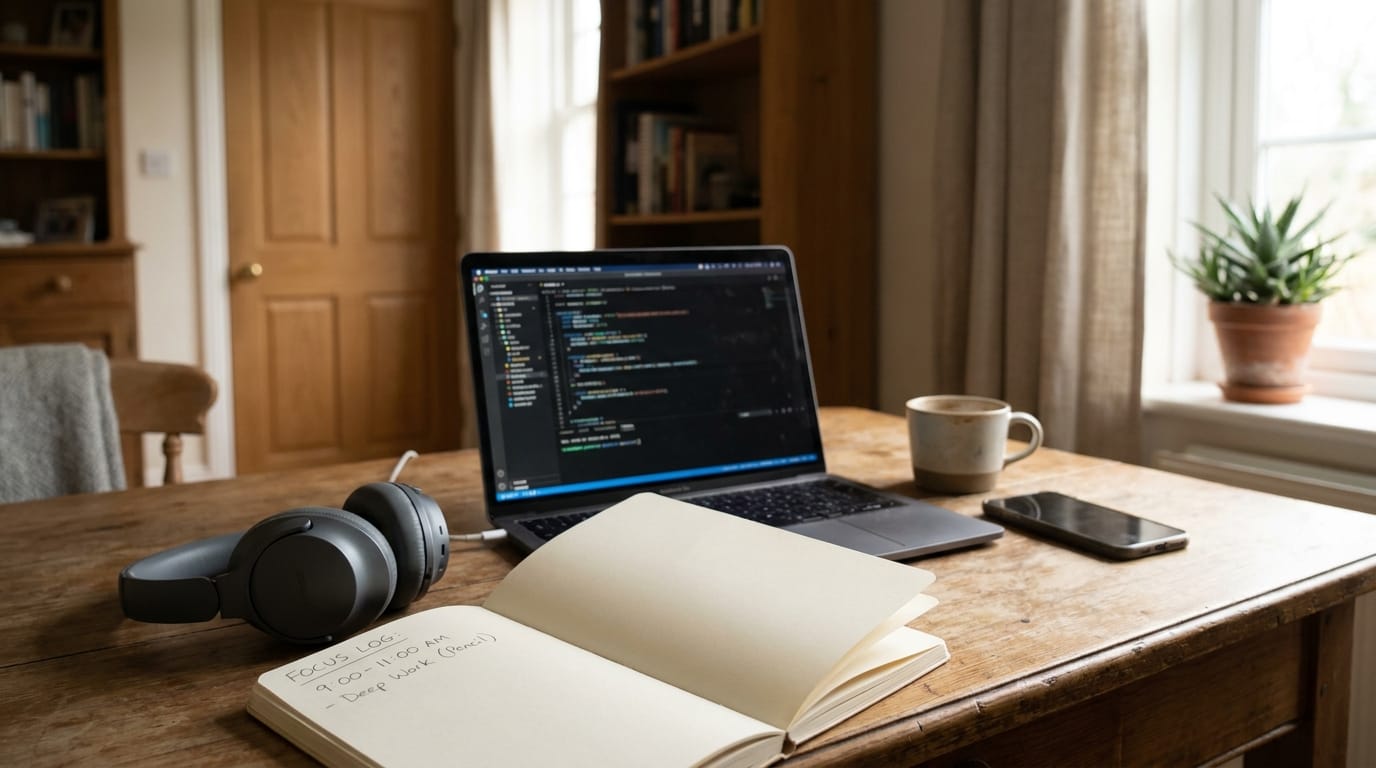
Last year I tracked my actual focused coding time for two weeks straight. Not “time at desk,” but time where I was genuinely solving problems, writing code that shipped, or debugging something hard. The number? 1 hour and 47 minutes per day. I was at my desk for 8+ hours. I felt busy. But the deep work was barely there.
I’m not an outlier. According to Speakwise’s 2025 workplace study, developers average 2.24 hours of deep focus per day, while getting hit with 31.6 interruptions. That’s roughly one interruption every 15 minutes during a standard workday. And each one costs you more than the 30 seconds it takes to reply to that Slack message.
This article is the system I built after that depressing two-week audit. It’s not a productivity framework with a cute acronym. It’s what actually moved my deep work from under 2 hours to a consistent 3.5–4 hours most days. Some of it will work for you. Some won’t. I’ll try to be honest about which parts I’m confident in and which parts might just be my personal quirks.
The real problem isn’t willpower, it’s your environment
I used to think I had a focus problem. Turns out I had an environment problem.
Reactive morning
- Open Slack “real quick,” 15 min gone
- Pulled into a PR review before starting your own work
- Standup pings, then standup runs long
- DM about yesterday’s deploy
- 1:1 calendar notification 45 min out
- 11:30am: zero lines of code written
Intentional morning
- Focus mode auto-activates at 8am
- Sticky note with one specific deep-work goal
- IDE + terminal open; everything else closed
- Slack and email stay shut until noon
- 50–60 min focus blocks, 5 min standing breaks
- 11:30am: 2+ hours of real progress on the goal
The environment is the problem. Notifications are on by default. Slack expects real-time responses. Meetings are scattered throughout the day like landmines. Your calendar is a minefield, and deep work requires crossing it without stepping on anything for 2–4 hours straight.
Cal Newport’s Deep Work made the case that deep work is becoming rare at exactly the time it’s becoming valuable. He’s right, but the book is light on specifics for developers. So here’s what actually works in a real dev environment.
My system: the non-negotiable morning block
The core of my system is dead simple: the first 3–4 hours of my day are for deep work, and nothing else gets in.
Not “I try to focus in the morning.” Not “I block my calendar when I can.” I mean: meetings don’t get scheduled before noon. Slack stays closed. Email stays closed. If someone needs me urgently, they can call my phone. In two years of doing this, that’s happened exactly twice.
Setting it up
macOS Focus Mode is the single most impactful tool I use, and it’s built into your OS. I have a “Deep Work” Focus mode that:
- Silences all notifications except phone calls
- Hides notification badges
- Auto-activates from 8am to 12pm on weekdays
- Shows a custom Lock Screen message: “Deep work until noon. Text me if it’s urgent.”
You can trigger it from the menu bar, or automate it with Shortcuts. I automated it so I don’t have to make the decision every morning. The decision is already made.
Your IDE matters too. VS Code’s Zen Mode (Cmd+K Z) strips away everything except the editor. No sidebar, no status bar, no tabs. Just you and the code. I thought I’d hate it. I was wrong. The visual reduction in clutter is surprisingly effective. JetBrains IDEs have a similar distraction-free mode under View > Appearance.
Close your browser tabs. All of them. I know you have 47 tabs open “for reference.” You don’t need them. If you need to look something up during deep work, open a new tab, find the answer, and close it. The open tabs are a menu of distractions pretending to be productivity.
What I actually do during deep work
Before I sit down, I write one sentence on a sticky note: “Today’s deep work goal: [specific thing].”
Not “work on the auth feature.” That’s too vague. Something like: “Implement the token refresh logic and write tests for the expiry edge case.” Specific enough that I know when I’m done, vague enough that I have room to problem-solve.
Then I open my terminal, git stash anything from yesterday if needed, checkout the right branch, and start. No Slack. No email. No “let me just check one thing.” The first 20 minutes are usually the hardest: my brain is screaming to check notifications. After that, I’m in flow and the time disappears.
I take a 5-minute break roughly every 50–60 minutes. Stand up, fill my water, look out the window. I don’t check my phone during these breaks. That’s a trap. One glance at Slack and you’re back in reactive mode. I’ve written about why movement breaks matter for coding if you want the full case for this.
Handling the “but my team needs me” problem
This is the objection I hear most, and honestly? It’s usually wrong. Most Slack messages can wait 2–3 hours. The ones that truly can’t are rare: production outages, security incidents, blocked teammates with no workaround. Everything else is someone’s impatience, not urgency.
Here’s what I told my team: “I check Slack at noon and 4pm. If something is genuinely urgent and can’t wait, text my phone.” Setting this expectation explicitly, instead of just silently going dark, is the key. People are way more understanding when you communicate the system upfront.
The harder version of this problem is when your manager expects real-time Slack responses. That’s a culture issue, and no Focus mode will fix it. You might need to have a direct conversation: “I ship better work when I have uninterrupted mornings. Can we try this for two weeks and see if output improves?” Frame it as an experiment, not a demand. I’m not sure this works everywhere (some orgs are genuinely hostile to deep work), but it’s worth trying before you give up.
Batching everything else
The mistake I made early on was protecting my morning but letting the afternoon devolve into chaos. Now I batch:
- 08:00–12:00Deep work blockFocus mode on, Slack closed, one goal
- 12:00–12:45Lunch, actually eatOutside if possible. No screens.
- 12:45–13:30Slack + email batchCatch up on the morning's threads
- 13:30–14:30Meetings windowStandups, 1:1s, planning, all here
- 14:30–16:00Shallow workReviews, docs, bug fixes
- 16:00–16:15ShutdownLog deep-work hours, plan tomorrow
12:00–12:45. Lunch. Actually eat. Go outside if you can. Don’t eat at your desk while catching up on Slack. That’s not a break, that’s multitasking with a sandwich.
12:45–1:30. Slack and email. Respond to everything from the morning. Review any PR requests. This is the window where I’m “available.” I try to keep it to 45 minutes, but some days it bleeds to an hour.
1:30–2:30. Meetings. I push all meetings into this window. Standups, 1:1s, planning sessions, all of it. Yes, this means I sometimes decline meetings outside this window. That’s the point. “Can we move this to my meeting block?” works surprisingly often.
2:30–4:00. Shallow work. Docs, code reviews, small bug fixes, responding to follow-up Slack threads. This is intentionally lower-energy work. My brain is tired from the morning deep work block, and that’s fine. I’m not trying to squeeze out another 2 hours of deep focus. I’m just handling the rest of the job.
4:00–4:15. Shutdown. I write down where I stopped, what I need to do tomorrow, and any loose threads. This takes 5 minutes but it’s the reason I can start fast the next morning. Without it, I spend the first 30 minutes of my deep work block just remembering where I left off.
This isn’t a rigid schedule. Some days meetings can’t be moved, some days a production issue blows up the afternoon. But having the default structure means I don’t have to make decisions about when to do what. The decisions are pre-made.
Tracking deep work as a habit
You probably saw this coming, but: I track my deep work hours as a daily habit. Every day at shutdown, I log how many hours of actual deep work I got. Not time at desk. Time in flow.
“Deep work 2h” is one of the built-in presets, which is most of why I use a habit tracker built for developers instead of a general wellness app — the thing I most want to measure is already there instead of being a custom entry I have to define first.
This single metric changed my behavior more than any system. When I started tracking, I realized my “good days” were 3+ hours and my “bad days” were under 1 hour. And the bad days were almost always caused by the same thing: a meeting before 11am that blew up my morning block.
If you keep a habit journal, deep work hours is the first thing I’d add. The weekly review pattern (“which days did I get 3+ hours, and what was different about those days?”) surfaces actionable patterns fast. Within two weeks of tracking, I had enough data to go to my manager and say “I ship 2x more code on days with no morning meetings” with actual numbers to back it up.
I’m not going to pretend tracking is fun. Most days it’s “3.5h” scribbled in a notebook. But the compound effect of seeing your deep work average creep up from 1.8 hours to 3.2 hours over a month is genuinely motivating.
Tools that actually help (and ones that don’t)
I’ve tried a lot of tools. Most of them are productivity theater: they make you feel productive without changing your actual output. Here’s what survived my bullshit filter:
Worth it:
- macOS Focus Mode. Already covered above. Free, built-in, actually works.
- Raycast or Alfred. An app launcher, so you never need to see your Dock (which is full of red notification badges). I use Raycast’s “Do Not Disturb” extension to toggle Focus mode from a keyboard shortcut.
- A physical notebook, for your daily deep work goal and shutdown notes. Yes, paper. Your computer is the source of distractions. Writing your goal on a sticky note and putting it next to your monitor keeps it visible without opening another app.
- A timer. I use a simple kitchen timer, not a Pomodoro app. The app means opening your phone. The kitchen timer means glancing at your desk.
Not worth it (for me):
- Website blockers. They treat the symptom, not the cause. If you need software to stop you from opening Twitter, the problem is that you haven’t committed to the deep work block. Also, you’ll just pick up your phone instead.
- Pomodoro apps. 25 minutes is too short for deep coding. By the time you understand the problem and start making progress, the timer goes off. I find 50–60 minute blocks work much better for development.
- “Focus music” playlists. I’ve tried brown noise, lo-fi beats, video game soundtracks. They work for some people. For me, they became a procrastination ritual. “Let me find the right playlist” is just “let me not start working” with extra steps. Silence works fine.
The honest parts
A few things I want to be upfront about:
I don’t hit 4 hours every day. My realistic average is 3–3.5 hours. Some days it’s 2 hours because of an unavoidable morning meeting or a production incident. Some days it’s 4.5 hours and I feel like a god. The consistency matters more than hitting a perfect number. If you’re currently at 1.5 hours and you get to a reliable 2.5, that’s a massive improvement.
This is easier if you’re remote or hybrid. I work remotely, and I know that’s a privilege for deep work. If you’re in an open office with people tapping your shoulder, some of this advice needs adapting. Noise-canceling headphones help. Booking a small meeting room for your morning block helps. But I won’t pretend it’s the same.
Some teams and companies are genuinely hostile to this. If your culture demands real-time Slack responses and celebrates “always available” as a virtue, you’re fighting uphill. I don’t have a magic solution for that. Sometimes the answer is to find a team or company that values output over availability. I know that’s not helpful advice for everyone, and I’m sorry.
Start tomorrow, not Monday
Don’t wait for the perfect week to start. Here’s what to do tomorrow morning:
- Set up a Focus mode on your phone and computer tonight. Set it to activate automatically at your start time.
- Write your deep work goal on a sticky note before you go to bed.
- When you sit down tomorrow, open only your IDE and terminal. No browser, no Slack, no email.
- Work for as long as you can before the pull to check notifications wins. Note the time.
- At the end of the day, log how much deep work you got in your habit tracker.
That’s it. No elaborate system on day one. Just protect one morning and see what happens. Adjust from there.
The goal isn’t to become a productivity robot. It’s to make sure the hours you spend coding are actually spent coding, not performing the theater of work while your attention is shredded by notifications. You already have the skills. You just need the space to use them.
Set up your morning routine to feed into deep work, track it like any other habit, and give it two weeks before you judge the results.
FAQ
How many hours of deep work should I aim for? Start with whatever you’re currently doing and add one hour. If you’re at 1.5 hours, aim for 2.5. The “4 hours” in the title is an upper bound for most people. Cal Newport himself says 4 hours of true deep work is about the daily max for most knowledge workers. Don’t let the number intimidate you. Going from 1.5 to 2.5 hours is a bigger relative improvement than going from 3 to 4.
What if I’m most productive in the evening? Then do your deep work in the evening. The morning block works for me because meetings cluster in the afternoon and my energy is highest before lunch. But if you’re a night owl and your team doesn’t schedule 8am standups, shift the block. What matters is protecting a contiguous chunk of time from interruptions, not which chunk you pick.
Won’t my team think I’m slacking if I’m offline for 4 hours? Communicate proactively. Tell your team when you’re available, not just when you’re not. “I check Slack at noon and 4pm” is a clear contract. Most reasonable managers care about output, not online status. If yours doesn’t, the deep work problem is really a management problem. That’s a harder fix, but still worth naming.
Should I use the Pomodoro technique? For coding? Probably not. 25-minute blocks are too short for the kind of sustained problem-solving that development requires. By the time you’ve loaded the problem into your head and started making progress, the timer rings. I use 50–60 minute focus blocks with 5-minute breaks, but honestly, some of my best sessions are 90+ minutes unbroken. Use a timer as a reminder to take breaks, not as a constraint on your focus.
What counts as “deep work” vs. “shallow work”? Deep work: writing new code, designing systems, debugging hard problems, learning a new technology by building with it. Shallow work: responding to Slack, reviewing straightforward PRs, writing status updates, attending meetings, updating Jira tickets. The test: could a smart intern do it with minimal context? If yes, it’s shallow. If it requires your specific expertise and sustained concentration, it’s deep.
Get the Developer Habit Toolkit.
A free Notion template, 30-day challenge, and habit stacking guide — built for devs. Enter your email and we'll send it over.
No spam, unsubscribe anytime.